
Private trackers
SendsA cookie, API key or passkey
Fetching feeds, searching, reading statistics and checking login status only ever contact the sites you have added.
Download freeleech torrents from your RSS feeds, follow every site's statistics and login status, manage qBittorrent and Transmission in one place, and check on all of it from QQ or Telegram.
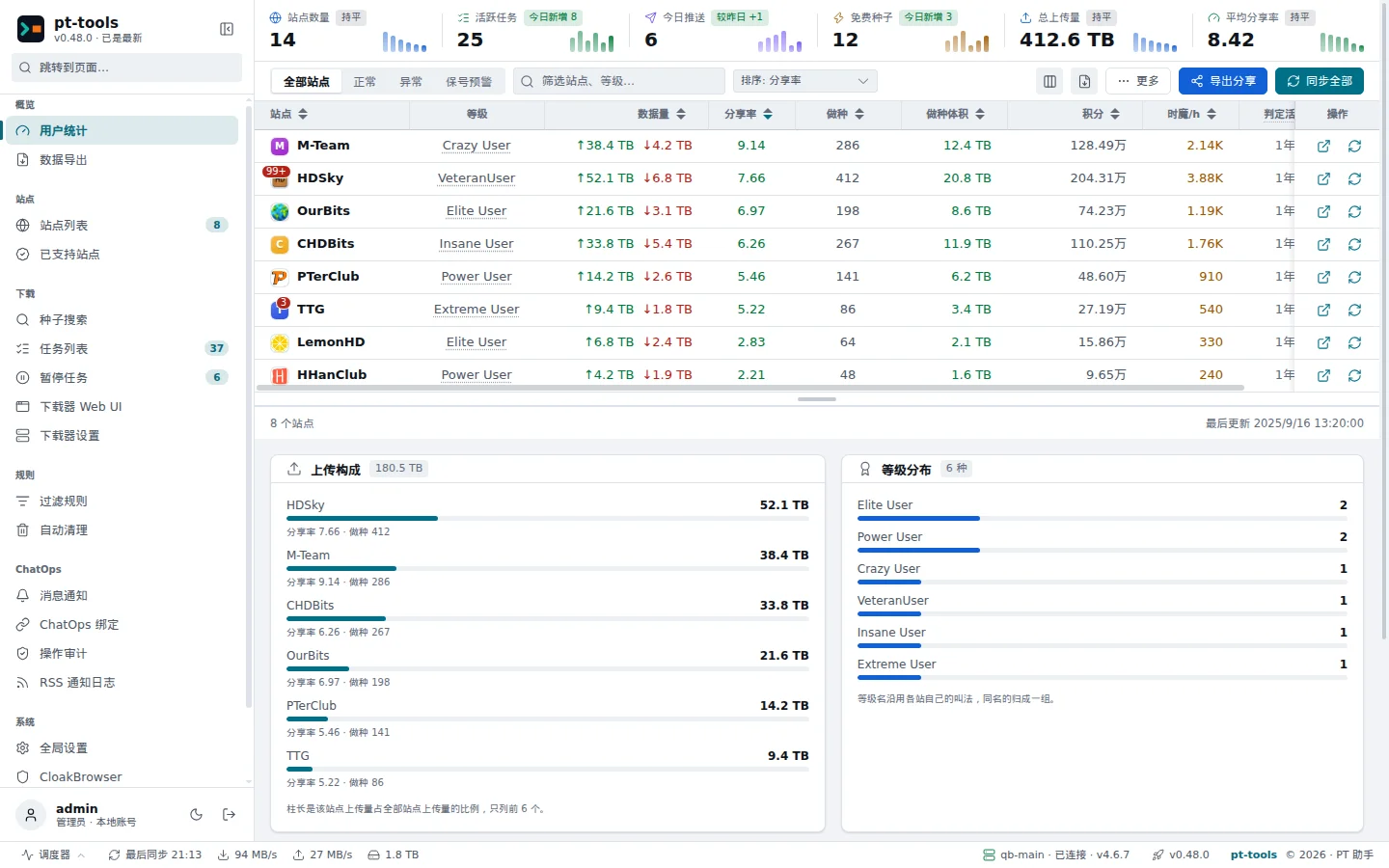
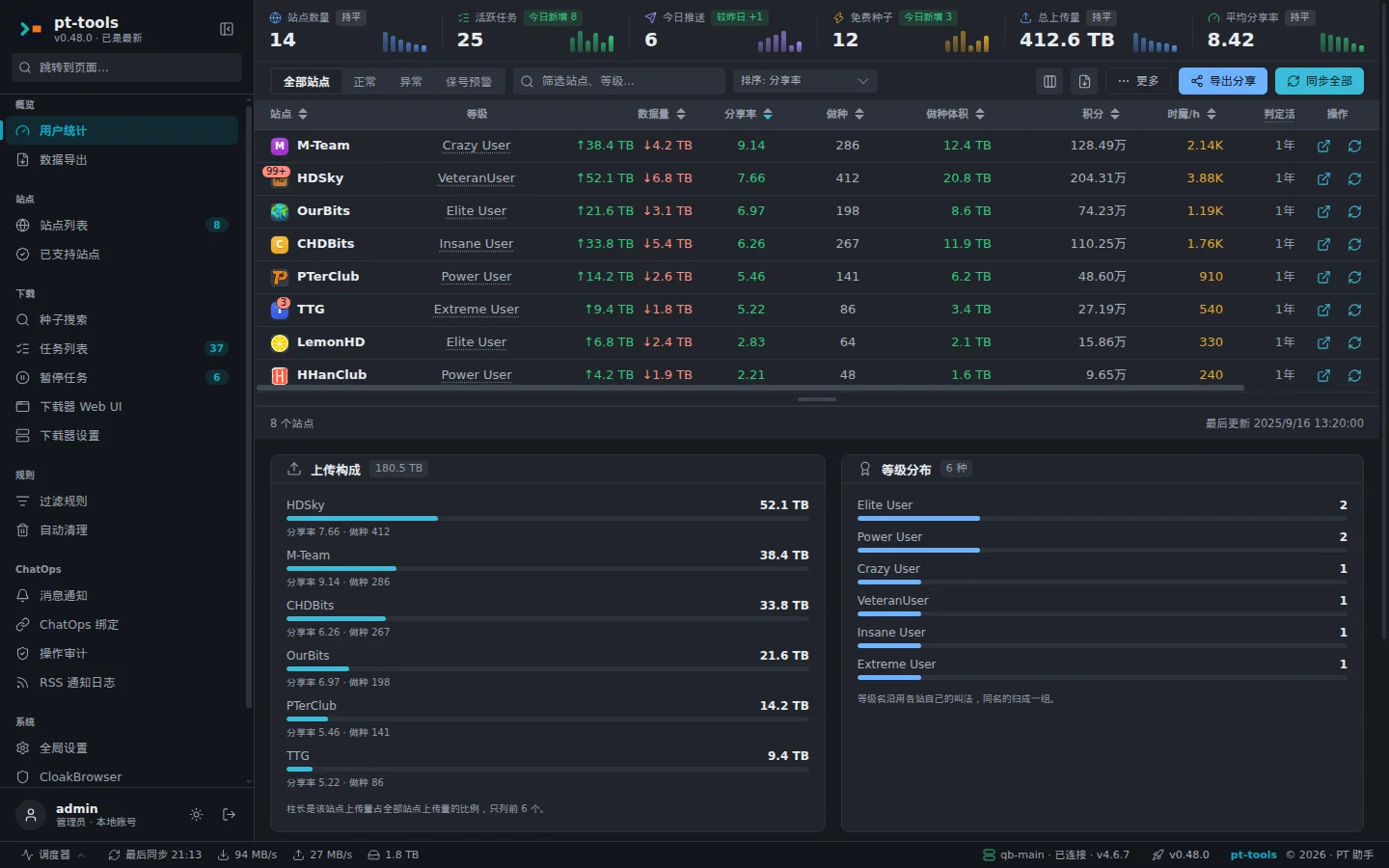
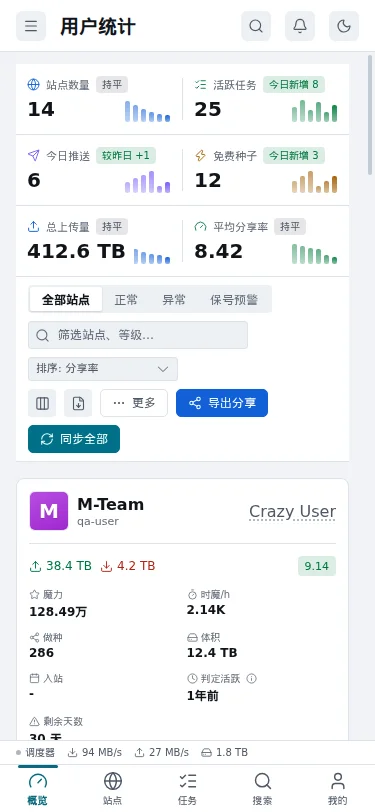
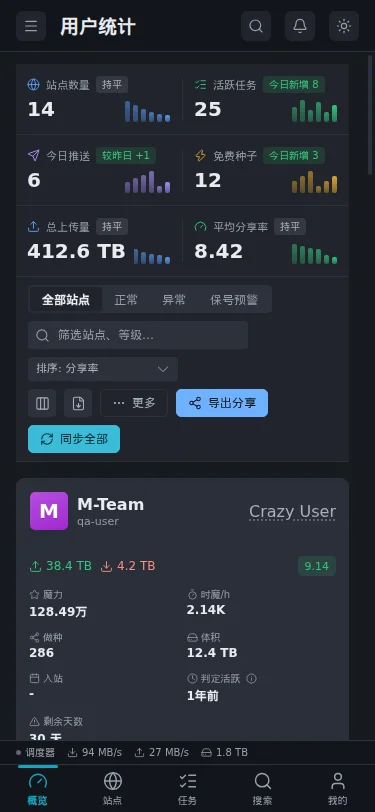
Everything at a glance. Features marked Experimental ship in the release but have not been verified end to end.
NexusPHP, mTorrent, Gazelle, HDDolby and Rousi sites, signing in with a cookie, an API key or a passkey.
Upload, download, ratio, seeding, bonus points and progress to the next class for every site on one page, also exportable as an image to share.
Search several sites at once, filter and sort by size, seeders and freeleech, and send results straight to a downloader.
Per-site checks and reminders, so you hear about a site before an inactive account is disabled.
Feeds are fetched on a schedule. A feed without filter rules downloads freeleech torrents only.
Match titles with keywords, wildcards or regular expressions, limited by size and by whether a torrent must be free.
A torrent still downloading when its free period ends is paused, so it does not count against your download.
Free space on the downloader is checked before every push; old torrents are removed by seeding time, ratio and other conditions, with H&R torrents kept.
Add several downloaders; a torrent goes to the one bound to its RSS feed, then its site, then the default.
Every downloader's torrents, speeds and states in pt-tools, with bulk pause, resume and delete.
Keep several save folders per downloader and choose one when you push a torrent.
Check status, tasks and torrents, pause, resume or delete torrents, add and remove RSS feeds; every command is recorded in the audit log.
Push results sent to your chat app, with quiet hours, digests, retries and an hourly limit.
Outbound channels that send notifications but cannot receive commands.
PT Tools Helper syncs a site's cookie in one click and collects redacted pages to request support for a new site.
The binary upgrades itself from the web interface; logs, staged torrent files and old backups can be previewed, then removed.
Reach sites and downloaders through an HTTP, HTTPS or SOCKS5 proxy, with exclusions by address.
docker compose up -d
Start it with Docker Compose and keep /app/.pt-tools on a volume, or run the binary directly.
In Downloader settings (下载器设置), add qBittorrent or Transmission and check that it connects.
Sync a cookie with the browser extension, or enter the site's API key or passkey.
Add an RSS feed to a site and choose a downloader. Without filter rules, only freeleech torrents are downloaded.
pt-tools fetches every RSS feed on a schedule and pushes the matching torrents to a downloader. A feed with no filter rules downloads freeleech torrents only, which suits building ratio; once rules are attached, only matching torrents are downloaded, which suits following a series or collecting particular releases.
Before a push it checks the downloader's free space and the site's seeding limit, and a torrent still downloading when its free period ends is paused.
RSS subscriptions · Filter rules and TV series · Auto-delete and disk protection
| Rule | Type | Matches |
|---|---|---|
2160p|4K | Regular expression | Titles containing 2160p or 4K |
*REMUX* | Wildcard | Titles with REMUX anywhere |
Black.Mirror | Keyword | Release names containing Black.Mirror |
Rules are tried in order of priority and the first match wins; each rule can also limit the size and require freeleech.
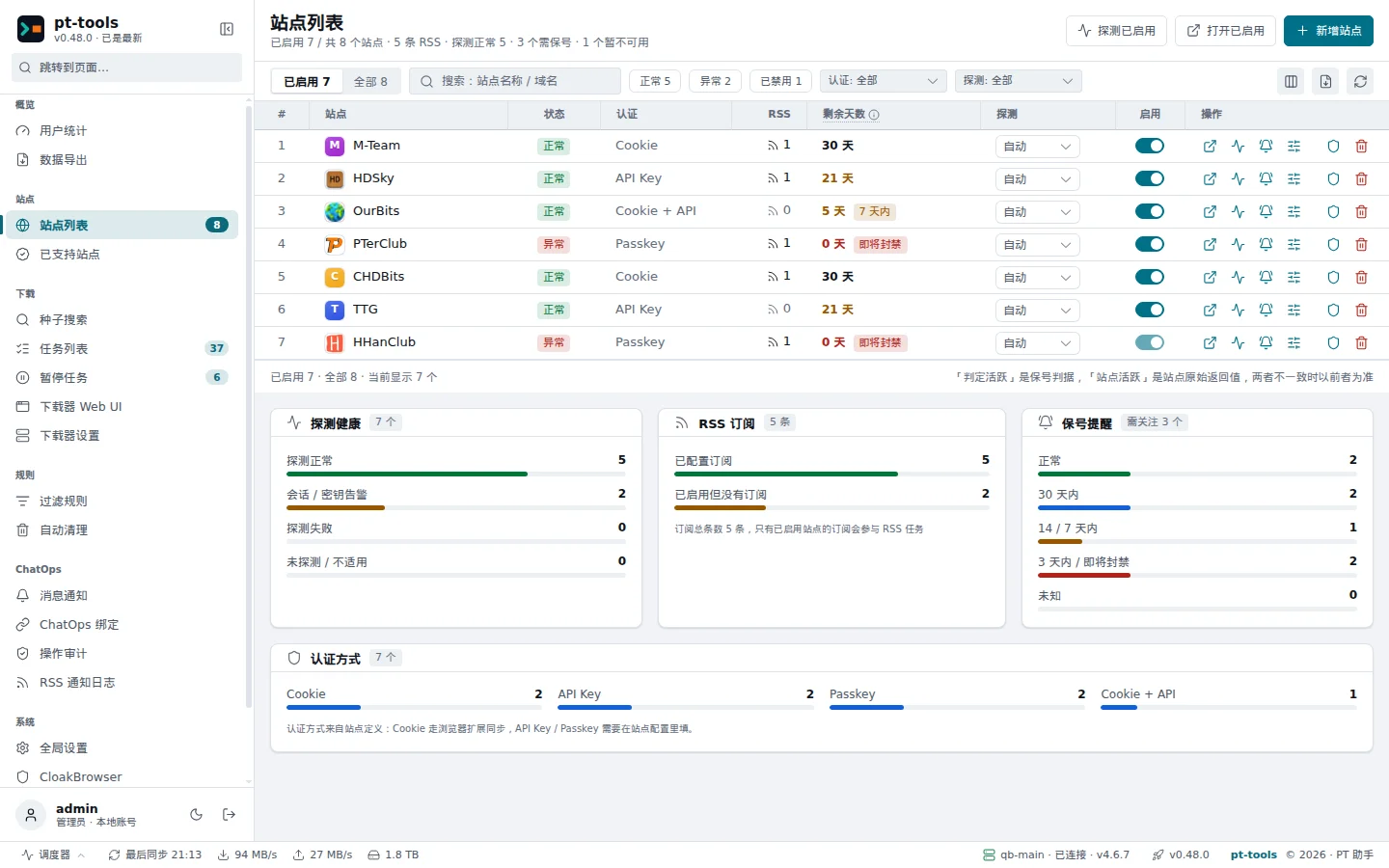
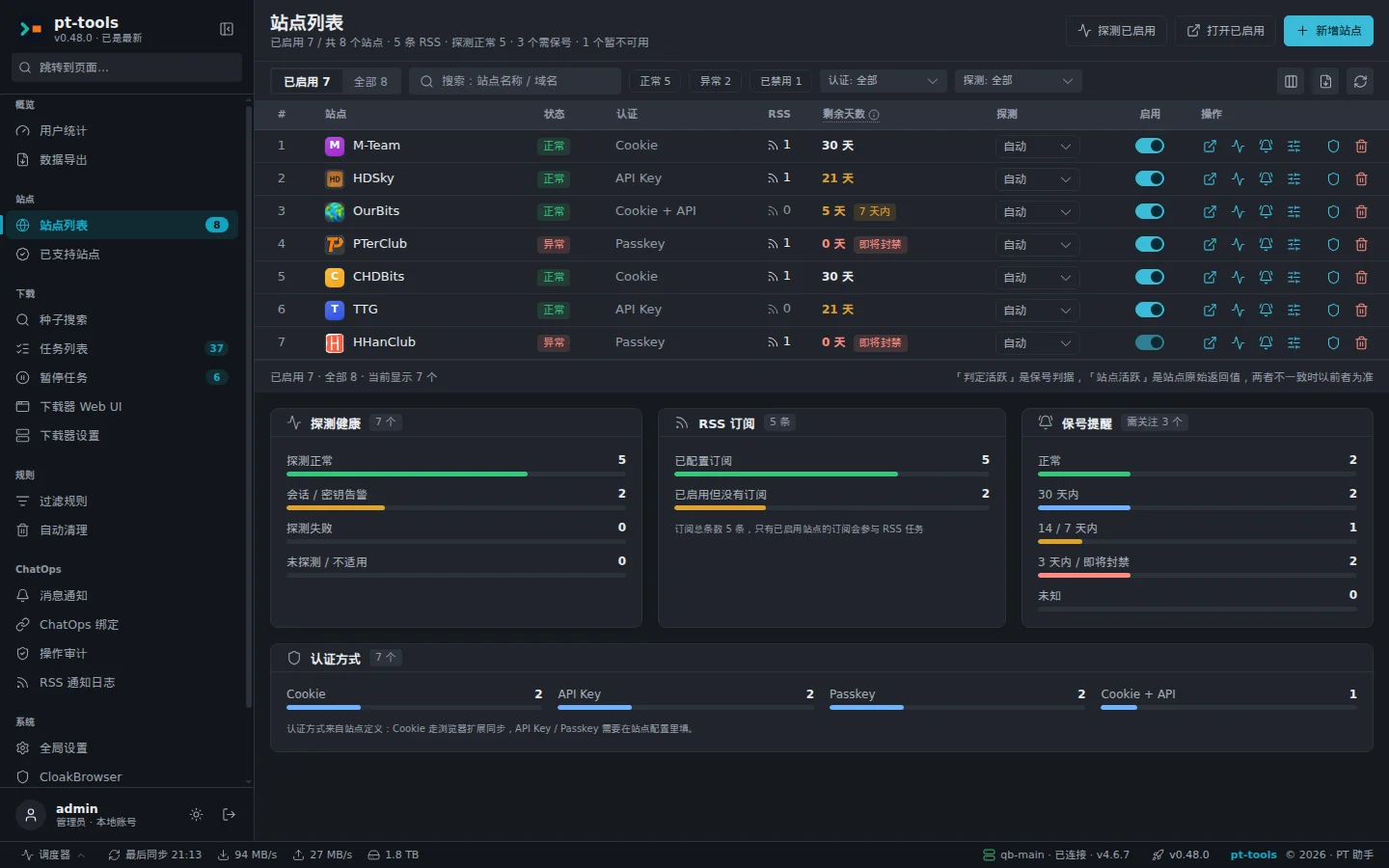
The statistics page totals each site's upload, ratio, seeding and progress to the next class; the site list shows how you sign in to each site, whether that still works, and how many days are left before the site's inactivity limit.
Cookie sites sync in one click with the browser extension; sites such as M-Team use an API key, and Rousi Pro uses a passkey.
Supported sites · Cookies and API keys · Login status and key backup
Send commands in a private chat over QQ (through OneBot, for example NapCat) or a Telegram bot to see status and torrents and to pause or resume them; RSS push results arrive in the same chat.
A chat account is linked first with a one-time code generated in the web interface. Every command is recorded in the audit log, which you can search in the web interface.
/status/tasks/torrents/pause <hash>/addrssOnly accounts linked with a binding code can send commands, and at present every linked account has admin rights, so give binding codes only to people you trust. The allow lists of a QQ or Telegram channel only decide who may talk to the bot, not who has admin rights; each account is limited to 10 commands a minute by default.
Every option runs the same program with the same data folder, so you can move between them.
| Option | Architectures | Where to get it | Data folder |
|---|---|---|---|
| DockerAvailable | amd64 and arm64 | sunerpy/pt-tools on Docker Hub, or ghcr.io/sunerpy/pt-tools with a build attestation | Mounted at /app/.pt-tools |
| LinuxAvailable | amd64 and arm64 | The release archive, or an install script that checks SHA-256 | ~/.pt-tools |
| WindowsAvailable | amd64 and arm64 | The release archive, or a PowerShell install script | .pt-tools in your user folder |
There is no macOS binary; use Docker on macOS. pt-tools listens on port 8080 by default.
pt-tools depends on no hosted service. These are the only things it connects to, and you configure every one of them.
SendsA cookie, API key or passkey
Fetching feeds, searching, reading statistics and checking login status only ever contact the sites you have added.
SendsTorrent files and commands
Pushing torrents and reading tasks and free space only contact the qBittorrent and Transmission instances you configure.
SendsNotifications and version checks
Notifications go only to the channels you enable; checking for updates and upgrading the binary reach GitHub Releases.
Docker Compose is the recommended way. Keep the data folder /app/.pt-tools on a volume: its secret.key is what decrypts your saved site credentials.
services:
  pt-tools:
    image: sunerpy/pt-tools:latest
    container_name: pt-tools
    environment:
      TZ: Asia/Shanghai
    ports:
      - "8080:8080"
    volumes:
      - ./data:/app/.pt-tools
restart: unless-stoppedcurl -fsSL https://raw.githubusercontent.com/sunerpy/pt-tools/main/scripts/install.sh | shirm https://raw.githubusercontent.com/sunerpy/pt-tools/main/scripts/install.ps1 | iexThe install scripts download the latest release and check it against the same release's checksums.txt before unpacking. The install guide covers each option in full, including how to pin a version.
Designed but not released. The design documents record contracts; they do not mean a feature is available.
Queries and confirmed actions for AI assistants over the Model Context Protocol. Only the interface contract exists today; there is no server.
Multi-step tasks on top of ChatOps, with every write confirmed by you.
Both outbound channels are implemented; they leave Experimental once they have been verified end to end.