
ChatOps quick start
pt-tools has a built-in ChatOps layer: from a QQ private chat or a Telegram private chat you can check download status, control tasks and receive event notifications at any time, without opening a browser.
Overview
The idea is the same as in Hermes or MoviePilot: you send a command to a bot in a chat app you already use, the bot calls pt-tools' services and replies with the result. The whole exchange happens in a private chat, so the web UI port never needs to be exposed.
Highlights:
- 13 built-in commands covering status queries, torrent control and task management
- Linked accounts only: only an account linked with a binding code can run commands; QQ and Telegram channels also check the sender against the channel's allow lists first
- Binding codes: an 8-character one-time code, valid for 5 minutes by default (from 1 hour up to no expiry if you choose), generated in the web UI and sent to the person whose account you want to link
- An audit trail: the result, latency and sender of every command are recorded in the
action_audittable - Encryption at rest: credentials such as the bot token and the access token are stored encrypted with AES-GCM, so a screenshot never shows them in plain text
- Outbound notifications: besides replying to commands, pt-tools can push system events (a torrent pushed, a disk space warning and so on) to the chat app
Supported channels
| Channel | Protocol | Inbound commands | Outbound notifications | Recommended for |
|---|---|---|---|---|
| QQ OneBot | OneBot v11 reverse WebSocket | ✅ | ✅ | People whose everyday chat app is QQ |
| Telegram | Bot API long polling | ✅ | ✅ | People outside mainland China, or who need notifications over the open internet |
| WeCom group bot ⚠️ | WeCom webhook | ❌ | 🧪 Experimental | Outbound notifications only (alerts in a group); implemented but not yet verified end to end |
| Generic webhook ⚠️ | HMAC-SHA256 HTTP | ❌ | 🧪 Experimental | Custom integrations such as n8n or Zapier; implemented but not yet verified end to end |
Inbound commands (chat app → pt-tools) need a two-way connection; the webhook channels only push outbound.
Which channel?
Do you want to send commands to pt-tools from a chat app?
│
├── Yes → Is QQ your main chat app?
│        ├── Yes → QQ OneBot (NapCat)  →  docs/en/guide/chatops-qq-napcat.md
│        └── No → Can you reach Telegram?
│                  ├── Yes → Telegram bot  →  docs/en/guide/chatops-telegram.md
│                  └── No → Use Telegram through a proxy
│
└── Only outbound notifications (events pushed to a group)?
     ├── A WeCom group → set up the WeCom webhook
     └── Your own system → set up the generic webhook
Built-in commands
Every command starts with / and is sent in the private chat. Commands are case-insensitive.
| Command | What it does | Permission |
|---|---|---|
/help | Lists every available command and how to use it | User |
/status | System status: speeds, disk space and the number of active tasks | User |
/version | The current version and the latest available one | User |
/tasks | The RSS tasks and whether they are running | User |
/sites | A summary of the configured sites (name, type) | User |
/torrents | Lists the torrents of each downloader, a page at a time | User |
/pause <hash> | Pauses a torrent (a prefix of the hash is enough) | Admin |
/resume <hash> | Resumes a torrent | Admin |
/delete <hash> | Deletes a torrent, after a confirmation | Admin |
/bind <code> | Links the current account to pt-tools with an 8-character binding code | Anyone |
/unbind | Unlinks the current account | Admin |
/addrss | Adds an RSS subscription interactively (a text wizard, or one line: /addrss site | name | URL | downloader) | Admin |
/delrss | Deletes an RSS subscription interactively (lists them first, then you choose one by name, ID or number) | Admin |
Rate limit: by default each user can send at most 10 commands a minute. Further commands are silently dropped, with no error reply, so nothing is revealed to the sender.
IMPORTANT
At present every linked account has admin rights: the commands marked Admin in the table are available to every linked account. Give binding codes only to accounts you trust, and revoke a binding under ChatOps → ChatOps binding (ChatOps 绑定) when it is no longer needed.
Setting it up
Continue with the guide for the channel you chose:
- QQ (NapCat) → QQ through OneBot (NapCat)
- Telegram → Telegram bot
Once it is set up, open the audit log page of the web UI (/chatops/audit) to confirm that commands run and are recorded.
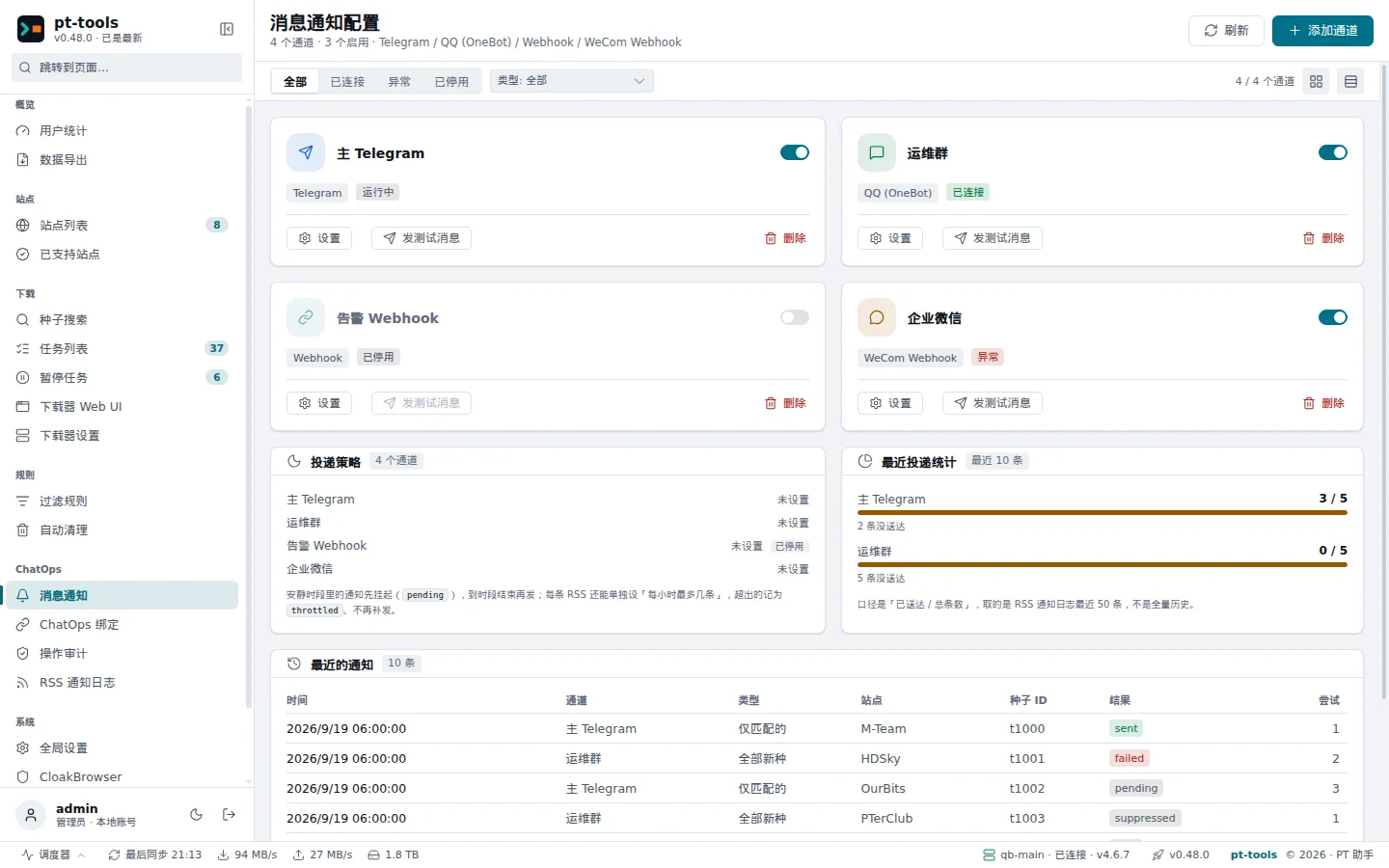
Web UI → ChatOps → Notifications (消息通知) shows the QQ and Telegram channels you have configured.
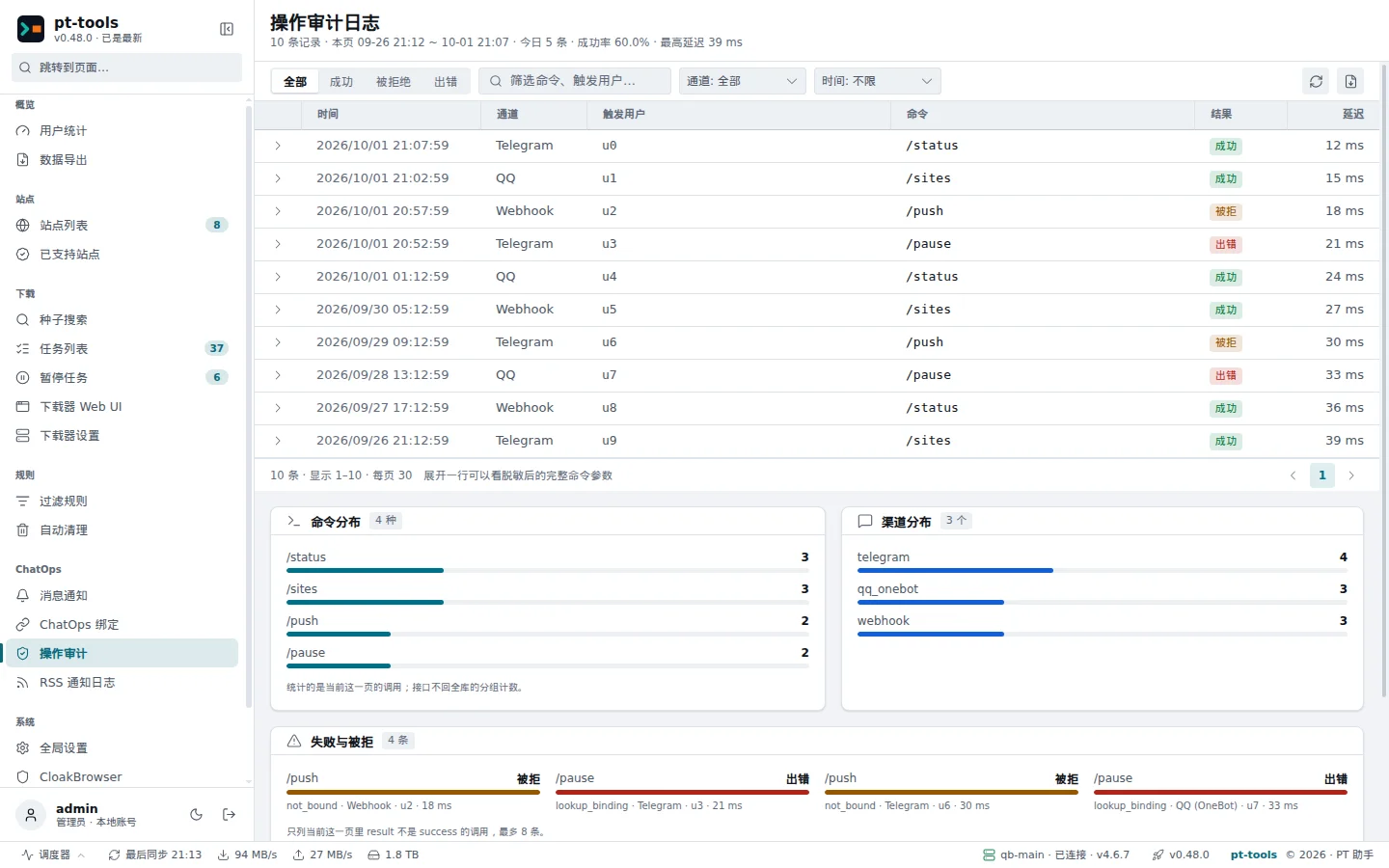
Web UI → ChatOps → Audit log (操作审计) shows today's command count, the success rate and the latest records.
Notifications for new RSS items
Once a channel is set up, pt-tools can also tell you when an RSS feed brings in a new torrent:
- all mode: every new item (only the feed's own fields are used, with no extra request to the site)
- filtered mode: only when a filter rule matches (good for following a series or picking Blu-ray releases)
- both mode: both at once; when a filtered match arrives, it supersedes the all-mode notification for the same torrent
Quiet hours (HH:MM, which may span midnight), a 30-second digest that combines notifications, retries with exponential backoff and inline Telegram buttons (download now / ignore) are all supported.
Details → New-torrent notifications